Pyrrha





Pyrrha is a firmware cartography tool which provide three level of details: - an overview of the import/export relationships between executables; - a firmware-wide callgraph; - a complete map of a given decompiled binary.
It uses the open-source code source explorer NumbatUI to provide users with an easy way to navigate through and search for path to function.
-
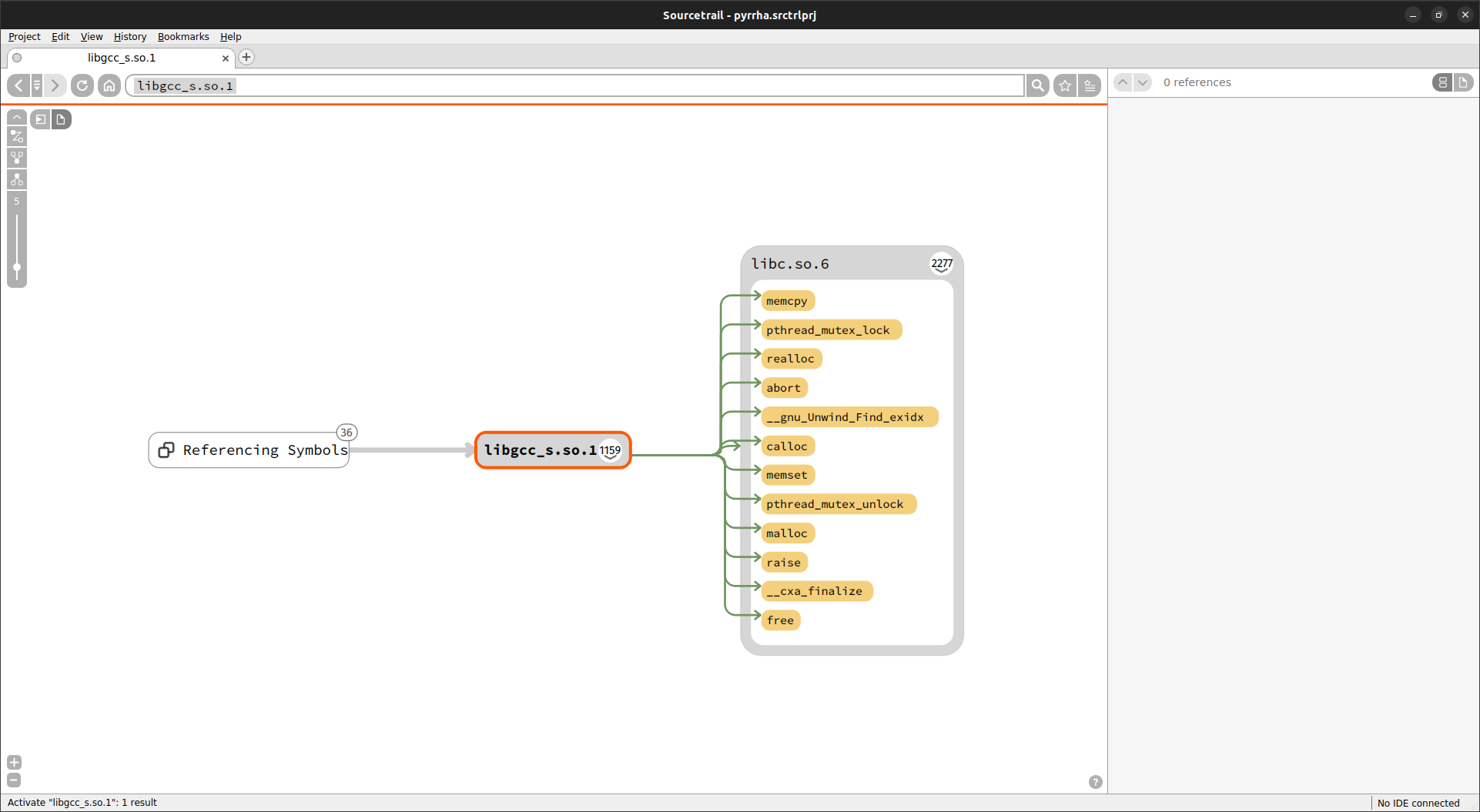
Symbols and libraries imported by libgcc_s.so.1. -
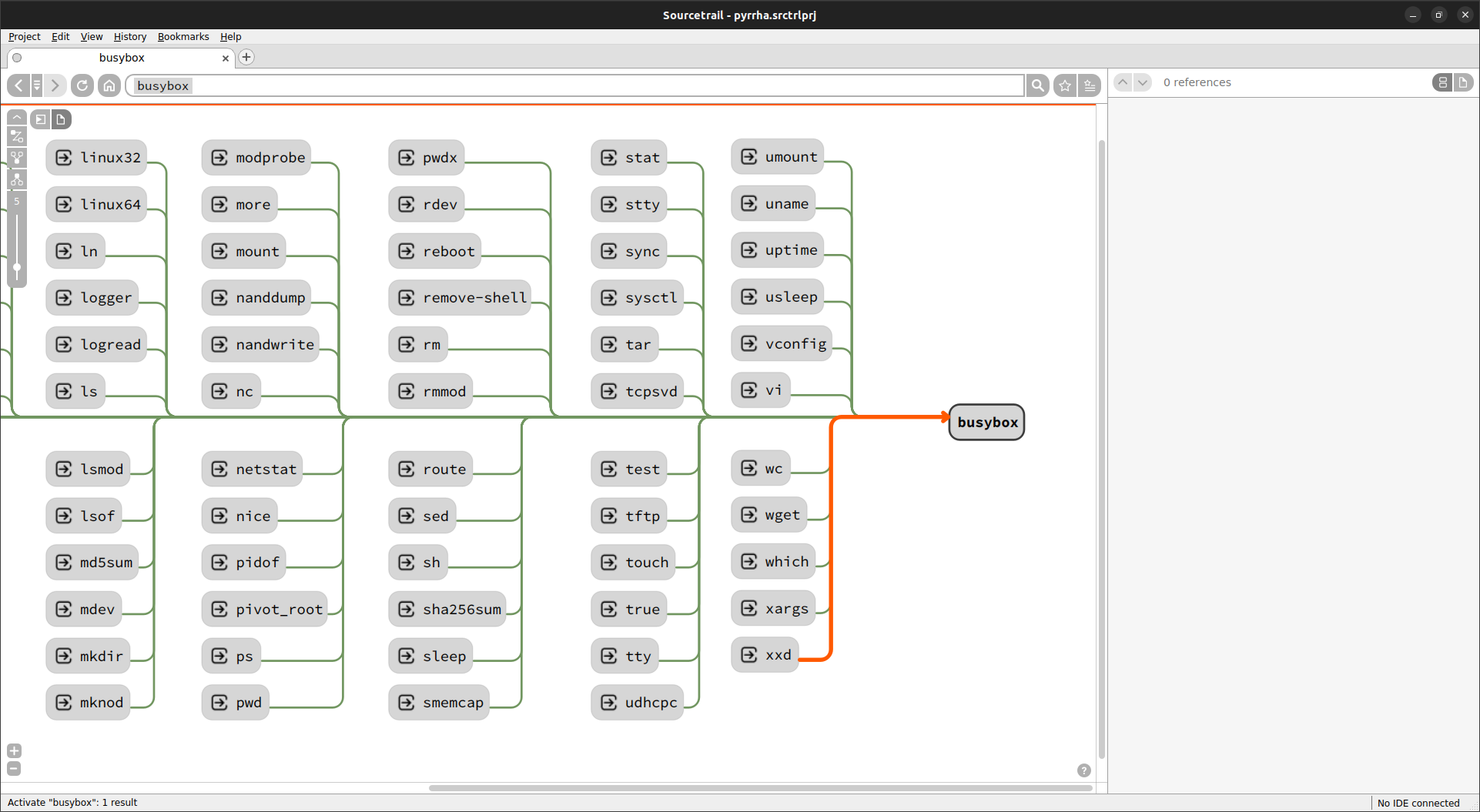
Symlinks pointing on busybox.
Installation
Install Visualisation Tool
For Debian like distribution, download the .deb package and install it on your system (sudo dpkg -i numbatui.deb)
For other systems, you can also compile it manually or use a Docker, check NumbatUI documentation for further details.
SOURCETRAIL_URL='https://github.com/CoatiSoftware/Sourcetrail/releases/download/2021.4.19/Sourcetrail_2021_4_19_Linux_64bit.tar.gz'
CHECKSUM=""f65a401daad8e16f29f7b2ff062a559999b6a8d44606db36cdf803de0cd7816d
EXTRACTION_DIR="/tmp/Sourcetrail_2021_4_19_Linux_64bit"
DOWNLOAD_PATH="$EXTRACTION_PATH.tar.gz"

wget $SOURCETRAIL_URL -O $DOWNLOAD_PATH
echo $CHECKSUM $DOWNLOAD_PATH | sha256sum -c

if [ $? == 0 ]; then
    echo '==== Install Sourcetrail'
    tar xf $DOWNLOAD_PATH -C $EXTRACTION_DIR
    sudo $EXTRACTION_DIR/Sourcetrail/install.sh
    rm -rf $DOWNLOAD_PATH $EXTRACTION_DIR
fi
Download last Sourcetrail release, unzip it and run the setup.exe.
Download last Sourcetrail release, and install it following Sourcetrail documentation.
Install Pyrrha
Info
Detailed instructions can be found on the dedicated documentation page.
Usage
The usage workflow is composed of two steps which allow you to separate DB creation and result visualization.
Run Pyrrha
If your backend is not on PATH, indicate its directory using the matching environment variable.
Visualize results
You should have a *.srctrlprj file corresponding to the project file and a *.srctrldb file for the DB.
Run NumbatUI or Sourcetrail on the project file. You can now navigate into the results.
The user interface is described in depth in the NumbatUI documentation. Do not hesitate to take a look at all the possibilities offered by NumbatUI, especially Custom Trails.
Info
The detailed documentation of each mapper is available in the documentation.
Publications
Pyrrha presentations, including live demos:
-
Pyrrha & Friends: Diving into Firmware Cartography, Eloïse Brocas & Robin David, SSTIC, Rennes, France, 2025. [slides] [video]
-
Pyrrha: navigate easily into your system binaries, Eloïse Brocas, Hack.lu, Luxembourg, 2023. [slides] [video]
-
Map your Firmware!, Eloïse Brocas, Pass The SALT, Lille, France, 2023. [slides] [video]
Theory behind implementations
- Streamlining Firmware Analysis with Inter-Image Call Graphs and Decompilation, Robin David, RE//verse.io, USA, 2025. [slides] [video]
Authors
- Eloïse Brocas (@ebrocas), Quarkslab
- Robin David (@RobinDavid), Quarkslab
Past Contributors
- Pascal Wu (@pwu42), during his internship at Quarkslab